Close Menu
  • Home
  • Start Here
  • About
  • Guides
    • Security Cameras
    • DIY Alarm Systems
    • Smart Locks
    • Video Doorbells
    • Smart Home Security
    • Buying & Setup Guides
  • Contact

Build Your Security Plan

Practical DIY guidance for U.S. homeowners and renters.

Start with the checklist
Start Here

Self-Monitoring vs. Professional Monitoring: How to Choose

Home Security Costs: Build a Three-Year DIY Budget

Renter-Friendly Home Security: Plan a Portable DIY Setup

Facebook X (Twitter) Instagram
  • Home
  • Start Here
  • About
  • Guides
    • Security Cameras
    • DIY Alarm Systems
    • Smart Locks
    • Video Doorbells
    • Smart Home Security
    • Buying & Setup Guides
  • Contact
Facebook X (Twitter) Instagram Pinterest
MARTIN GUARD
Start Here
HOT TOPICS
  • Start Here
  • Security Cameras
  • DIY Alarm Systems
  • All Guides
MARTIN GUARD
You are at:Home»Video Doorbells»Video Doorbell Installation: A Preflight and Test Checklist
Video Doorbells

Video Doorbell Installation: A Preflight and Test Checklist

bmichartBy bmichartNovember 6, 2026002 Mins Read
Share Facebook Twitter Pinterest LinkedIn Tumblr Email
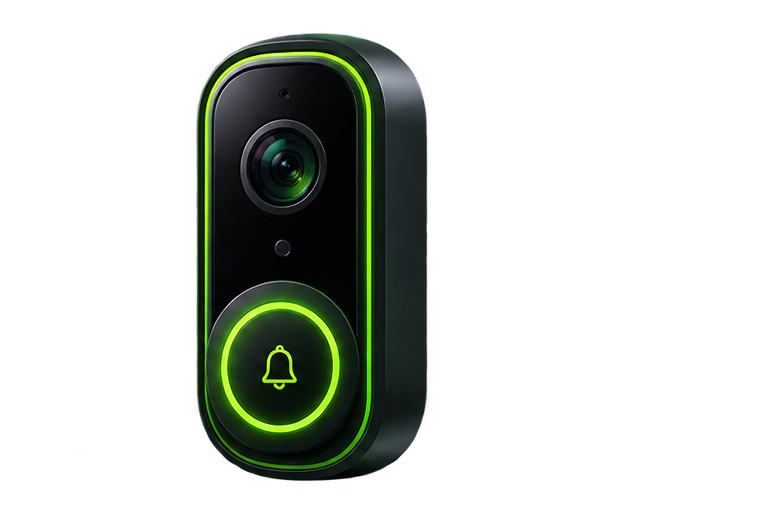
Illustration of a video doorbell
Illustrative artwork; not a photograph of a tested product.
Share
Facebook Twitter LinkedIn Pinterest Email

Before removing an existing doorbell, read the new device’s installation guide and identify the power, chime, and mounting requirements. Do not assume two wired doorbells are interchangeable. This checklist helps you plan the work; the manufacturer’s electrical instructions take priority.

Check the entrance first

  • Confirm permission for the mount or hardware change.
  • Check whether the unit is battery powered, wired, or both.
  • Verify transformer and chime compatibility for the exact model.
  • Test the device’s required Wi-Fi band at the door.
  • Check that the view can include visitors without unnecessarily recording neighboring private areas.

Take electrical uncertainty seriously

Do not connect a low-voltage doorbell directly to household mains. Do not guess transformer ratings from wire color. If you cannot identify the existing equipment or the installation requires changing a transformer or line-voltage wiring, arrange qualified help. Follow the manufacturer’s instructions for isolating power and confirming it is off before handling wiring.

Dry-fit the mounting position

Hold the mounting template at the intended location and consider door swing, trim width, wall material, and charging access. Check whether the manufacturer supplies an approved wedge for a recessed or angled entrance. Before drilling, make sure you know what lies behind the surface.

Pair, update, and test

Complete setup using the official app, apply available updates, and create secure household access. Test a button press, an approach without ringing, two-way audio, and a saved recording. Test while the phone is locked and away from home Wi-Fi so you know the real notification behavior.

Revisit settings after a few days

Look for missed approaches and repeated alerts from traffic, shadows, or moving plants. Adjust detection zones and sensitivity gradually. Check nighttime glare and whether the chime can be heard where household members spend time.

For choosing a device, use the video doorbell buying guide. For fine tuning, read how to tune doorbell motion alerts.

Share. Facebook Twitter Pinterest LinkedIn Tumblr Email
Previous ArticleVideo Doorbell Buying Guide for U.S. Homes and Apartments
Next Article How to Tune Video Doorbell Motion Alerts
bmichart
  • Website

Related Posts

How to Tune Video Doorbell Motion Alerts

November 6, 2026

Video Doorbell Buying Guide for U.S. Homes and Apartments

November 6, 2026
Add A Comment
Leave A Reply Cancel Reply

Start Your DIY Security Plan

Choose practical protection for your home, budget, and everyday routine.

Read the checklist

Essential Security Guides

Self-Monitoring vs. Professional Monitoring: How to Choose

November 6, 2026

Home Security Costs: Build a Three-Year DIY Budget

November 6, 2026

Renter-Friendly Home Security: Plan a Portable DIY Setup

November 6, 2026
Latest Security Guides

Self-Monitoring vs. Professional Monitoring: How to Choose

By bmichartNovember 6, 2026

Home Security Costs: Build a Three-Year DIY Budget

By bmichartNovember 6, 2026

Renter-Friendly Home Security: Plan a Portable DIY Setup

By bmichartNovember 6, 2026

Build Your Security Plan

Practical DIY guidance for U.S. homeowners and renters.

Start with the checklist

Questions or Corrections?

Email info@martinguard.com. Include the guide URL and keep passwords and access codes private.

Security Planning

Self-Monitoring vs. Professional Monitoring: How to Choose

November 6, 2026

Home Security Costs: Build a Three-Year DIY Budget

November 6, 2026

Renter-Friendly Home Security: Plan a Portable DIY Setup

November 6, 2026
Latest DIY Guides

Self-Monitoring vs. Professional Monitoring: How to Choose

Home Security Costs: Build a Three-Year DIY Budget

Renter-Friendly Home Security: Plan a Portable DIY Setup

Build Your Security Plan

Practical DIY guidance for U.S. homeowners and renters.

Start with the checklist
© 2026 MARTIN GUARD. DIY Home Security Guides.
  • About
  • Editorial Policy
  • Affiliate Disclosure
  • Privacy Policy
  • Contact

Type above and press Enter to search. Press Esc to cancel.