
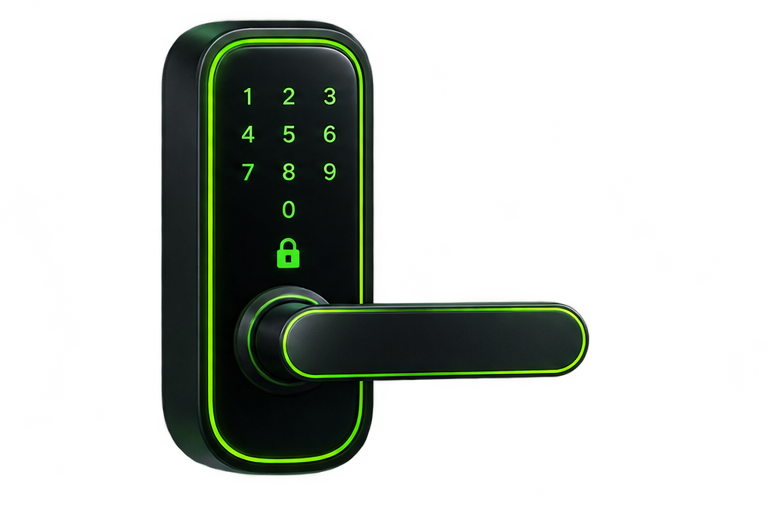
Install a smart lock when you have time to test it without rushing out of the house. Keep the existing key available, read the full manufacturer guide, and make sure another authorized person can help if you need to test entry from outside.
Before removing the old lock
- Confirm permission if you rent or share responsibility for the door.
- Verify door thickness, backset, bore dimensions, and supported lock type.
- Check that the current deadbolt extends smoothly without lifting the door.
- Photograph the original hardware and keep its parts together.
- Have the specified batteries, tools, and installation template ready.
Mount and calibrate with the door open
Follow the model-specific steps and cable routing. Avoid pinching wiring between the interior unit and mounting plate. Tighten screws as instructed; overtightening can bind the mechanism. Perform initial calibration in the door position specified by the manufacturer, often with the door open, and keep fingers clear of moving parts.
Check mechanical operation before app features
Operate the thumb turn and key if included. Close the door and repeat the test without pushing or lifting it. A motor struggling to move the bolt is a reason to stop and correct alignment, not to run repeated automatic locking cycles. If you cannot resolve the fit, consult a qualified locksmith.
Configure household access carefully
Use a unique account password and enable available multifactor authentication. Create separate codes for household members and time-limited access for visitors where the lock supports it. Avoid codes based on an address or an easily guessed date. Confirm scheduled codes behave in the lock’s intended time zone.
Run a final entry and exit test
Test each intended access method with an authorized person inside. Check low-battery alerts, auto-lock timing, and how to operate the lock without internet. Disable automations you have not tested. Keep emergency access instructions in a secure place available to the people who need them.
Review access after a guest visit, household change, lost phone, or account recovery. For choosing the hardware itself, see our smart lock buying guide. For broader account protection, use the smart home account checklist.
